
Searching for a Warrant in San Saba County
The San Saba County Sheriff posts no public name search and no active-warrant table. Start with the court on your citation or notice. Ask whether the file shows an arrest warrant, an FTA, a capias, or a capias pro fine. The answer matters. If the court is unclear, the County/District Clerk or the Sheriff can route a records question, but neither replaces the issuing court's decision on warrant status. For district or county matters, the combined clerk's office sits at the courthouse. Justice and San Saba Municipal Court share a phone. Richland Springs has its own municipal court. A ticket written outside San Saba County belongs to the court that issued it.
- Find the court name and citation or cause number on the notice.
- Use the linked local portal if it accepts that identifier.
- Call the issuing court when the result is missing or does not state process status.
- Ask the Sheriff about a service, booking, or Sheriff-held record.
- Request a written copy or confirmation when you need proof of an action.
San Saba County Has No Public Warrant List
The San Saba County Sheriff publishes no online warrant list. Its official page carries no roster, name field, or downloadable warrant table. What it does give is practical. You will find the non-emergency and jail contact, office hours, a records email, and a Public Information Act request route, which is the public path the office offers. Call (325) 372-5551 and ask whether the Sheriff can confirm a specific service or custody record. Only the court may answer status. A blank online result is not clearance. A record can sit with a lower court, be restricted by law, or simply never get posted. The county home page is a decent starting point for the courthouse. It offers no countywide warrant query.
Warrant Search Fields Explained
San Saba County's online forms are payment tools. San Saba Municipal Court and Justice Court ask for a citation/ticket or case/cause number, then the number itself. No public name or date-of-birth warrant filter exists. Neither form is a warrant search. The OCA Judicial Directory search is for finding courts and contact details, not court cases.
| Screen or form | Fields or controls | What it can show |
|---|---|---|
| San Saba Municipal nCourt | Citation/Ticket Number or Case/Cause Number; number field | Citation/case payment route |
| Justice Court nCourt | Same two identifier choices | Justice Court citation route |
| OCA directory | County, court type, court name, city, sort options | Office and court contact information |
| Sheriff warrant page | No public warrant-search fields located | Phone, office, and written-request directions |
The San Saba Municipal Court citation screen shows the blank number fields described above.
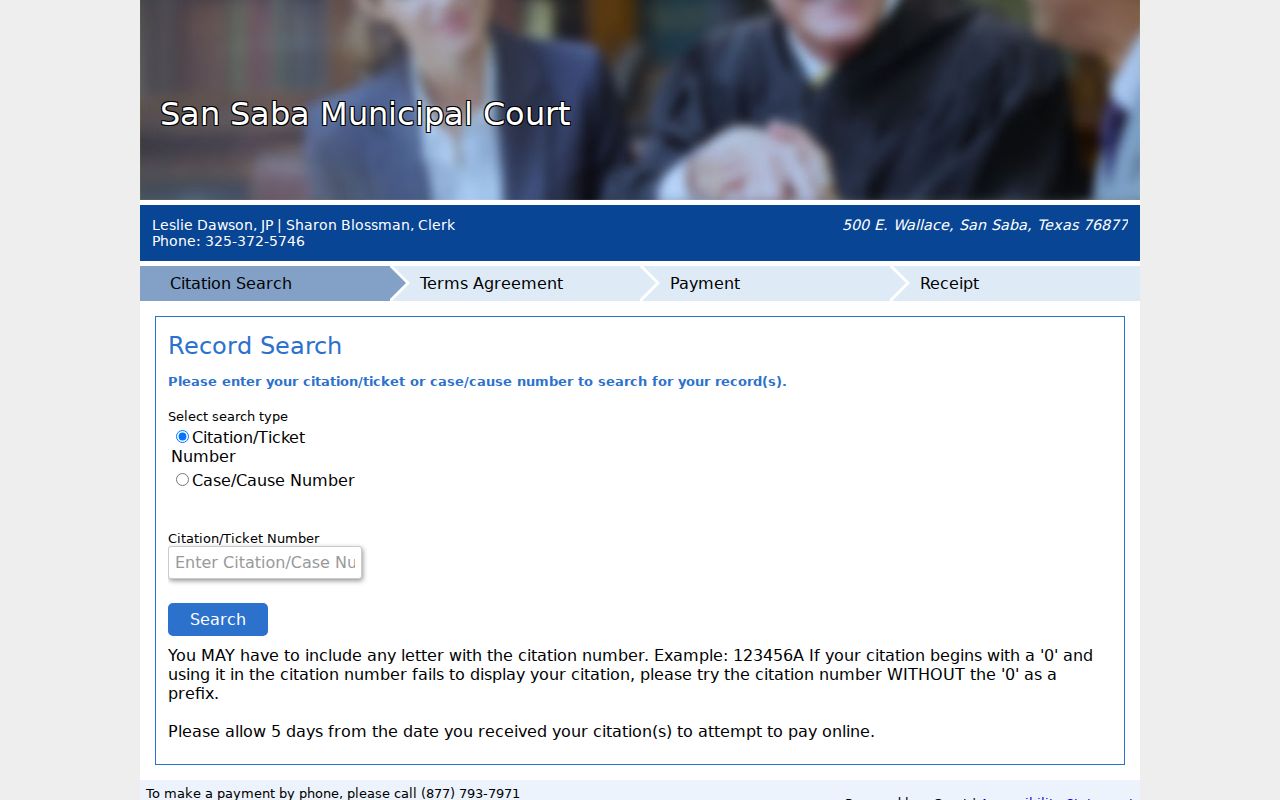
San Saba County's official nCourt route shows a blank identifier form.
San Saba County nCourt Needs a Citation
San Saba County's portal keeps its entry choices narrow. With a municipal notice, pick citation/ticket or case/cause number. Type it exactly as shown. Allow five days after a citation. Watch the details, since letters or a leading zero in the number can affect entry. If the system rejects the number, call the court rather than trying unrelated personal details. The official Municipal Court page links the payment route and lists Bureau Code 5728430, which verifies the payment channel rather than serving as a warrant number. An accepted payment does not mean the court recalled the warrant. The official Justice Court page carries a separate link. The two courts share the main courthouse phone but hold different case records.
What a Warrant Search Shows
A citation result in San Saba County can show a case number or a payment balance. A warrant copy is a separate record. You request it apart. Under Texas Chapter 15, an arrest warrant identifies the accused person or description, the charged offense, and the magistrate's signature and title. No sample warrant number, status code, bond amount, or update time appears on the local pages. Ask for each record by name.
| Cause or citation | Connects a request to a specific court file. |
|---|---|
| Process type | Ask whether it is a summons, arrest warrant, capias, or capias pro fine. |
| Issuing court | Identifies which judge or magistrate controls next steps. |
| Return or service record | May be held by the Sheriff or serving agency apart from the court file. |
| Current status | Confirm with the issuing court; no local public status key was found. |
The OCA directory is not a case search. San Saba County readers can use the OCA directory search to find a court's contact details, not case records.
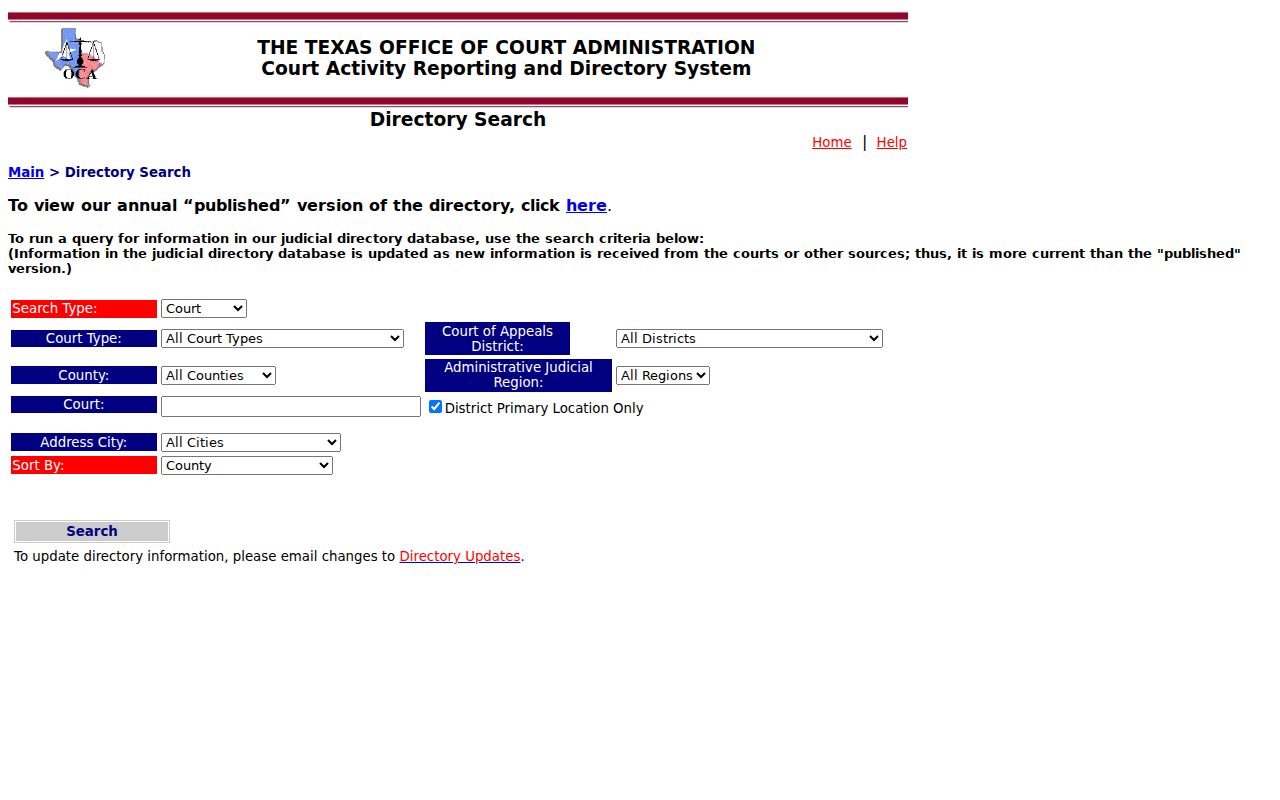
Use the OCA directory to locate court contacts. It does not return warrant records.
Where to Check Warrants in San Saba County
In San Saba County, district and county criminal files go through the combined County/District Clerk, while Justice Court keeps its own Class C and traffic matters. City cases sit elsewhere. San Saba and Richland Springs municipal courts keep them. The Sheriff can explain service, custody, and other law-enforcement records, within legal limits.
Justice and San Saba Municipal Court
500 E Wallace, Suite 110
San Saba, TX 76877
(325) 372-5746
Confirm which San Saba County office holds the record.
San Saba County Sheriff Form Narrows Requests
The Sheriff's form starts blank. The blank Public Information Act form from San Saba County asks for a report type, a case number if known, an incident date or range, the involved person, and a description. A warrant or court-process request goes under "Other." Ask for an existing record and name the court or case, not a new status report. Send it to SSSOrecords@sansabacounty.gov or bring it to the second-floor courthouse office. This is a written-record route. It is not a live warrant search. Confirm the fax before sending, because the form and a Sheriff page footer list different numbers.
| Useful identifier | Cause number, citation, date range, or Sheriff case number if known. |
|---|---|
| Requested record | Name the warrant, capias, return, or service document sought. |
| Delivery | Email or in-person submission are documented; no drop box was found. |
San Saba County Court Routes Are Not One Search
San Saba County has no single search that reaches every court. Texas itself runs none for trial cases. The Office of Court Administration keeps a directory of courts, and each clerk holds that court's own case material. San Saba County fits that pattern. The combined clerk handles records within its scope. The lower courts keep their own files, so a warrant question goes to the office that issued or holds it. Federal matters sit outside all of this. PACER can display public docket entries, yet sealed warrants and indictments never show there. So a blank search, at any level, does not prove no process exists. For routing to the right court, use the Texas Judicial Branch directory, which points to courts rather than searching their dockets.
Restricted Warrants and Access Rules
The Texas Public Information Act lets you request government records, but it does not make every warrant document public. An executed arrest warrant and its affidavit may be available under Chapter 15. An active investigation, a sealed matter, or a child-related record can carry limits. Ask for the releasable parts and the legal basis for anything withheld. San Saba County gives the Sheriff request form two routes: email it to SSSOrecords@sansabacounty.gov or bring it to the courthouse. Fill in the record type, the incident date or range, any case number, the parties involved, and a short description. Expect an itemized estimate when a request should cost over $40, plus a deposit or bond on certain requests over $100. Those are request costs, not warrant fees.
Request a record, not a new report. Identify the court, process, date, and case number where known. Ask the clerk to route you if the office does not hold it.
The Attorney General’s PIA overview explains written requests and access limits.
San Saba County Warrant Records May Be Restricted
Use the Sheriff's record form for a document the San Saba County Sheriff's Office actually holds. It is not legal advice. Keep the request narrow so staff can locate the file. The form offers an "Other" category plus a description field; add a case or cause number and a date range if you have them. Its redaction checkbox does not waive other privacy or law-enforcement exceptions. Fax numbers conflict across San Saba County pages: the county contact page and the request form show (325) 372-3277, while a Sheriff page footer shows (325) 372-6188. Call first to confirm the right one. The Sheriff lists its email as SSSOrecords@sansabacounty.gov. No drop box or after-hours request channel exists. The official County/District Clerk page shows the office routing for record requests.
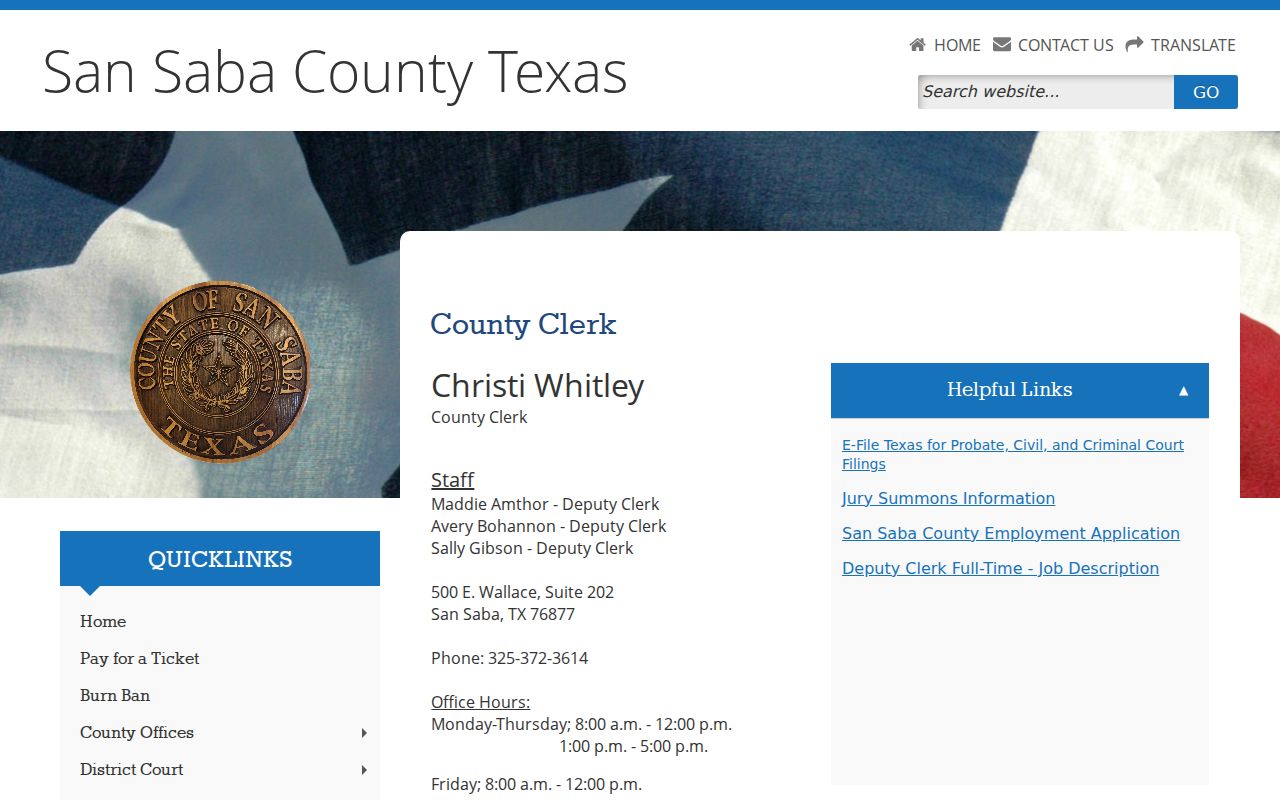
The County/District Clerk page supplies public office routing, not case-person data.